Treemap, not a list
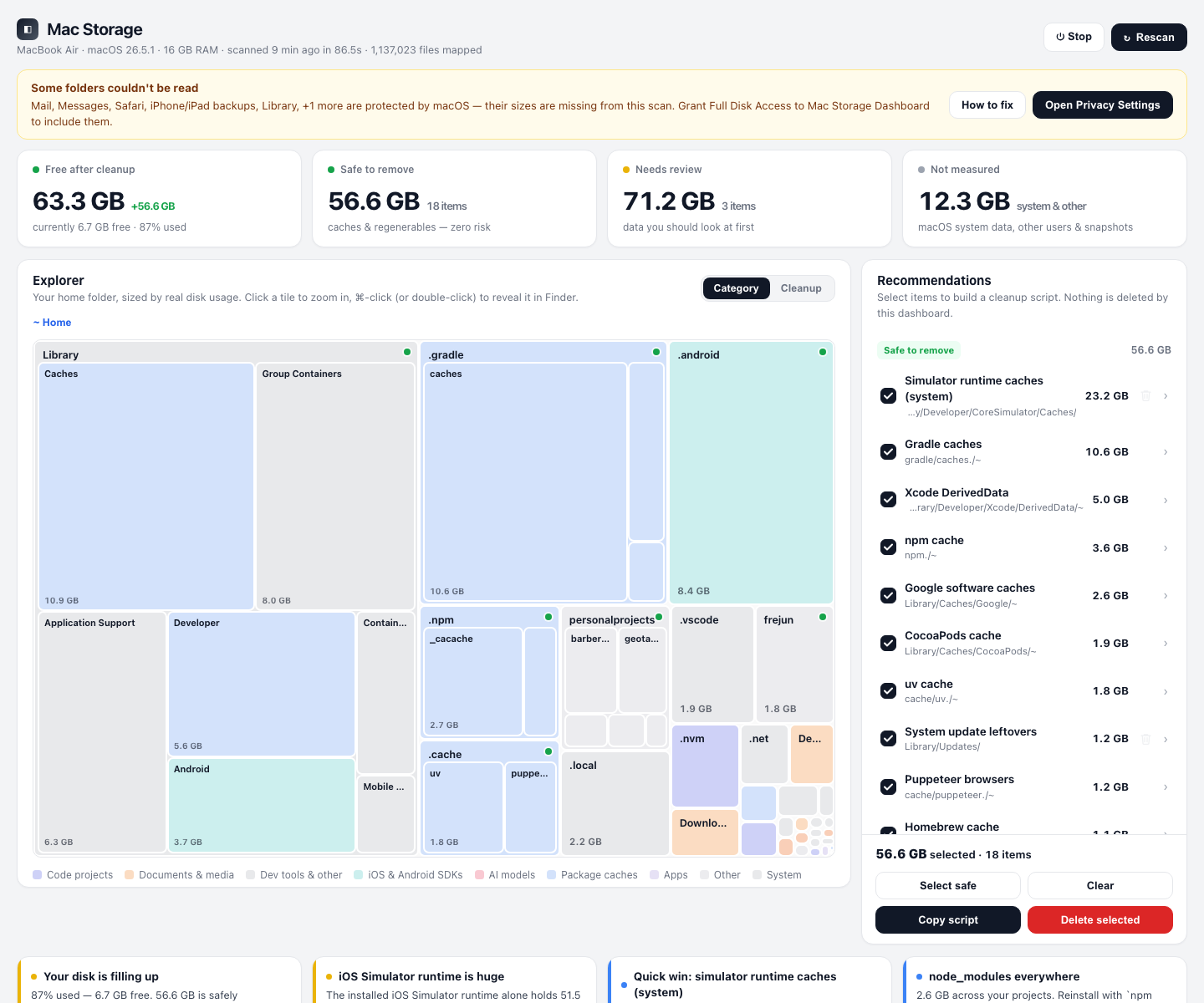
Every folder becomes a tile proportional to its size. Drill from the whole disk down to a single cache folder in three clicks.
Local-first · Open source · macOS
A dashboard that maps your whole Mac: a treemap of every folder, junk split into safe to remove and review first, and cleanup you approve item by item — never automatically.
brew install --cask irfanwani/tap/mac-storage-dashboard
No account · No telemetry · MIT licensed
The dashboard
Point it at your disk. It reports what's actually allocated, groups it by category, and shows you where the weight is hiding.
Every folder becomes a tile proportional to its size. Drill from the whole disk down to a single cache folder in three clicks.
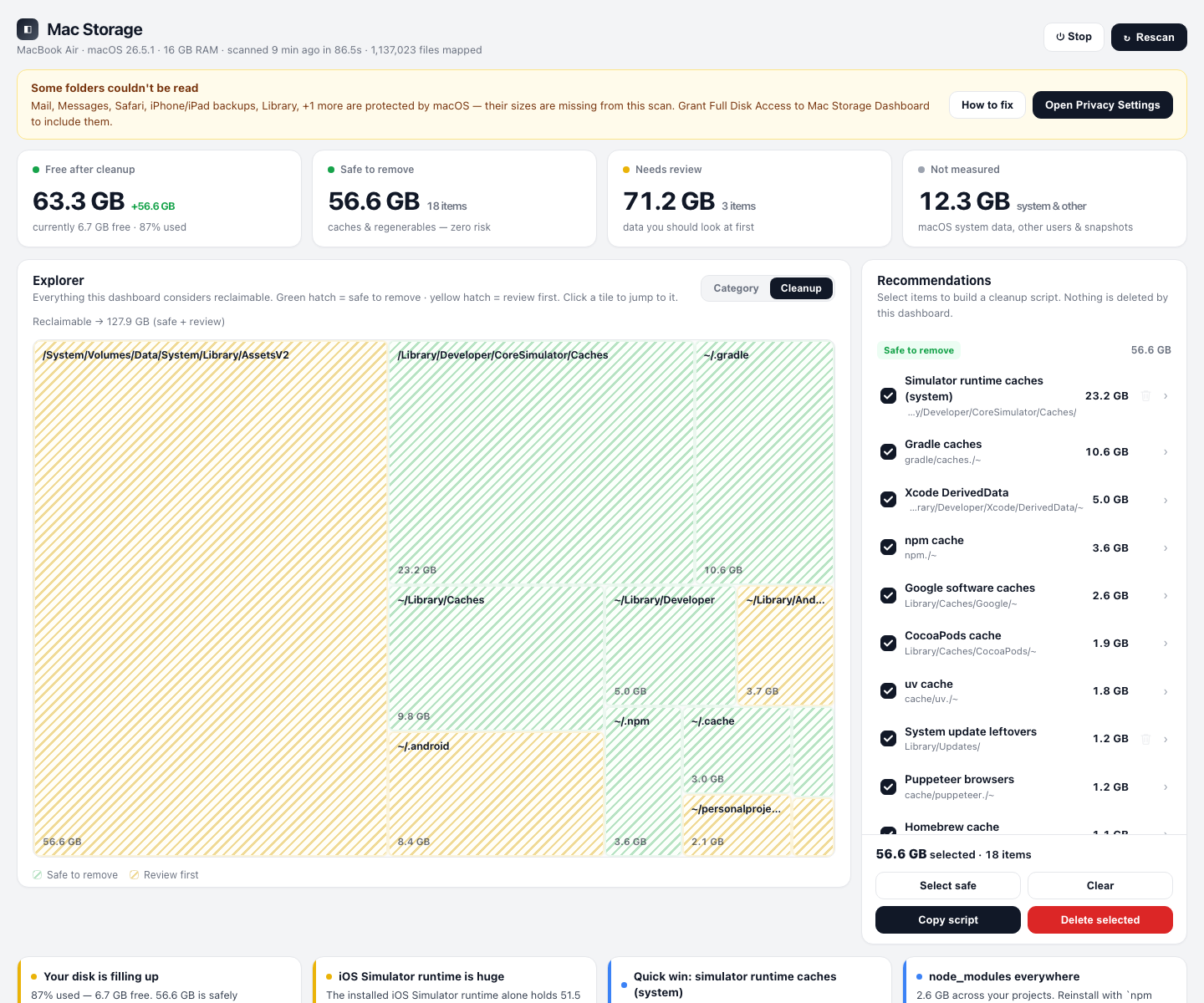
Safe means regenerable — caches, logs, build artifacts. Review means your data. Hatched tiles show exactly where reclaimable space sits.
Recommendations arrive with checkboxes. The app never deletes on its own, and irreversible actions always demand explicit confirmation.
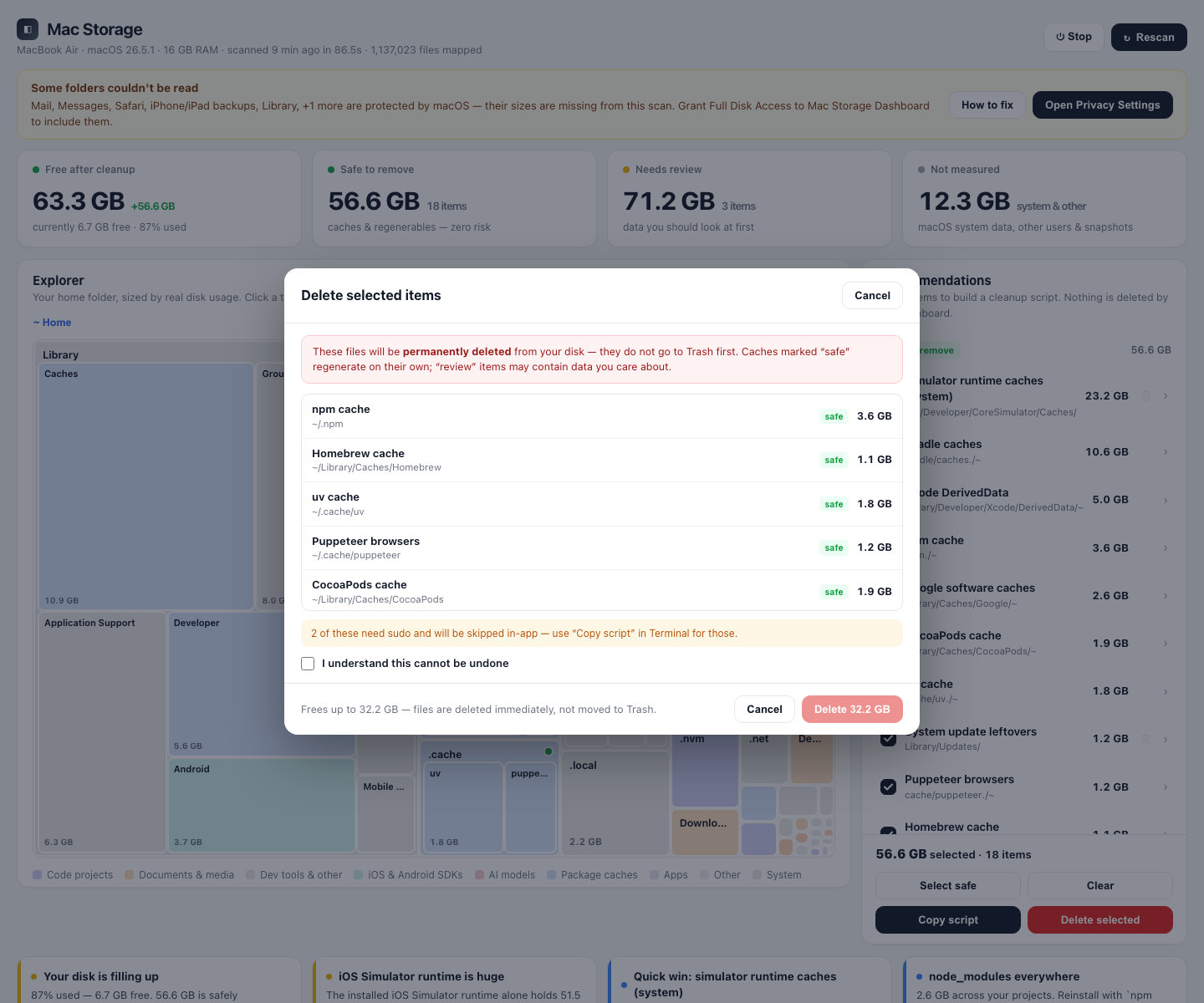
Delete reviewed items right in the dashboard — each one re-validated by id just before removal — or copy the generated shell script and run it yourself.
A pure-Python scanner counts allocated blocks and de-duplicates hardlinks, so totals match what Finder reports — even where du quietly fails under Full Disk Access.
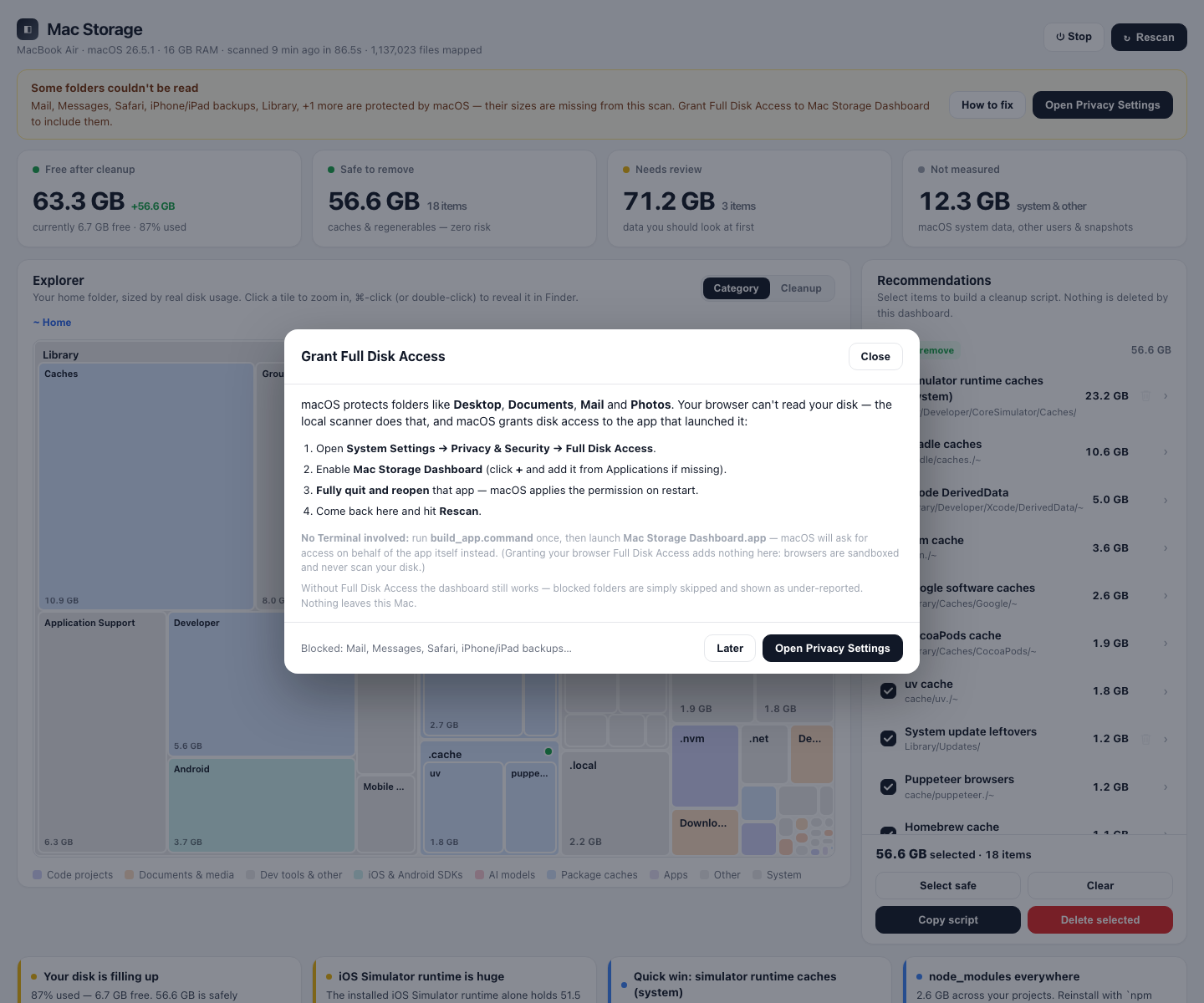
The app requests Full Disk Access itself — so macOS attributes it to the app, not your terminal — and names the folders it still can't see.
No accounts, no sync, no analytics. The dashboard is a page served on your own loopback interface, and it stops when you click Stop.
Screenshots
Cleanup recommendations, the deletion confirmation, and the permission check.
Install
A self-contained macOS app — move it anywhere, including /Applications. Needs Python 3.9+; runs on Apple silicon and Intel.
Installs the app straight into /Applications and updates with brew upgrade.
brew install --cask irfanwani/tap/mac-storage-dashboard
Builds the app locally and copies it into /Applications — no Gatekeeper prompt.
pipx install mac-storage-dashboard
mac-storage-dashboard install
Pick up the latest main branch and build the app yourself.
git clone https://github.com/Irfanwani/mac-storage-dashboard.git
cd mac-storage-dashboard && ./build_app.command
xattr -dr com.apple.quarantine "/Applications/Mac Storage Dashboard.app".
Repeat after each brew upgrade. The PyPI route builds locally and skips this.